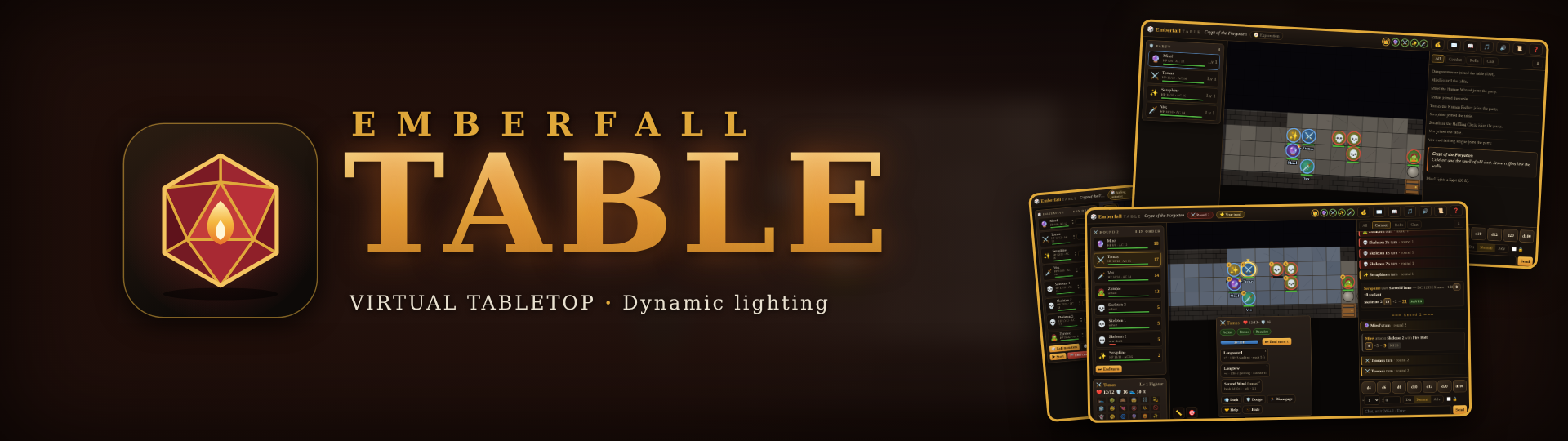
Emberfall-Table
A downloadable tool for Windows, macOS, and Linux
A shared table for stories, steel and unfortunate dice.
Emberfall Table is a live, browser-based virtual tabletop for tabletop role-playing groups. One person runs the table as the DM (game master); everyone else joins from a browser, builds a hero in a minute, and plays on a shared battle map with turn-based combat, spells, loot, a campaign journal, and dice rolled on the server so nobody has to trust anybody's mouse.
It is built for a regular group, not for the whole internet: you start a tiny server on your own PC, share the address, and keep everything (characters, scenes, campaigns, uploads) in a folder you own. No subscription, no account on a website, no per-seat licence.
What you get
For everyone
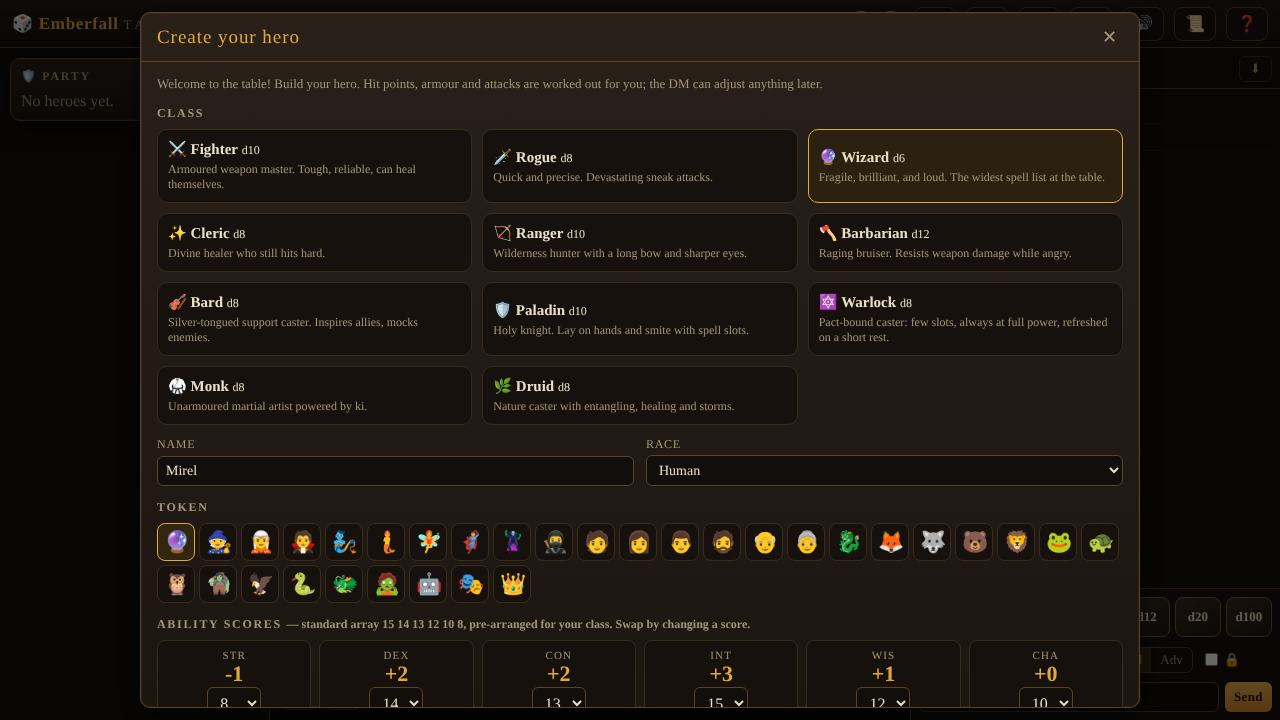
- Hero builder. 11 classes (fighter, rogue, wizard, cleric, ranger, barbarian, bard, paladin, warlock, monk, druid) and 12 races, with hit points, armour, attacks and racial bonuses worked out for you. Level up from the sheet: subclasses at level 3, ability improvements or feats, and multiclassing.
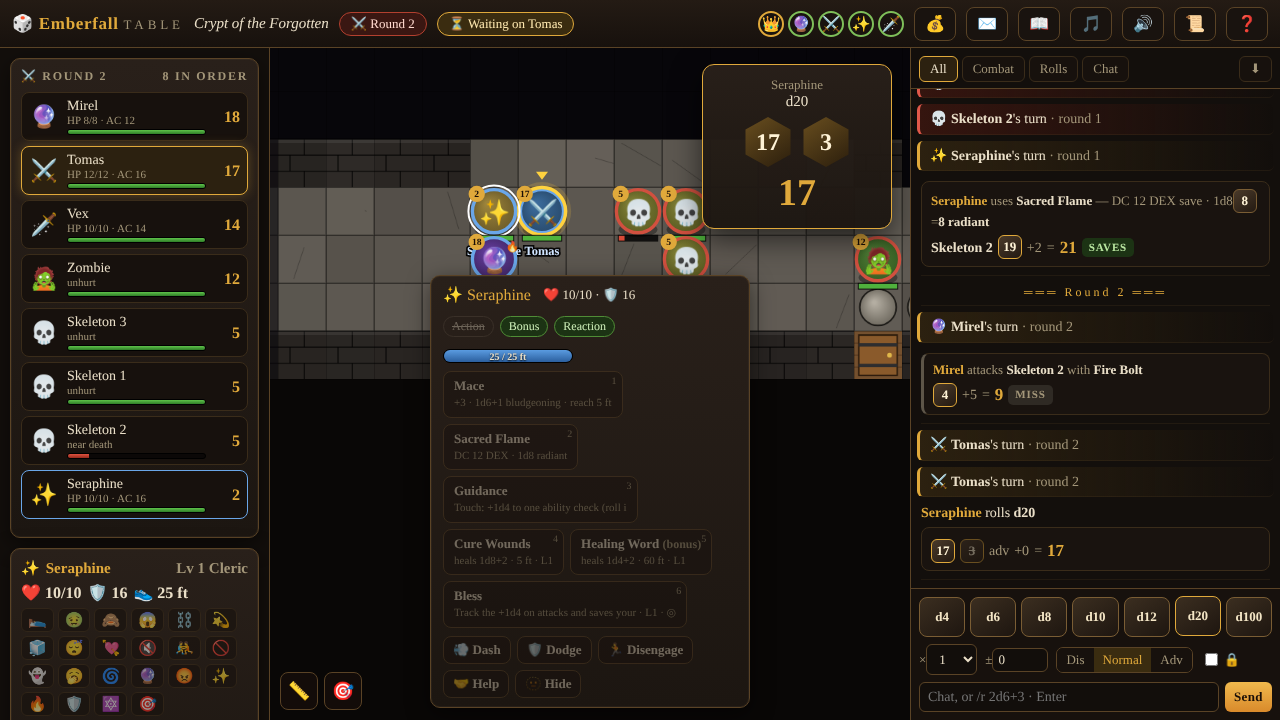
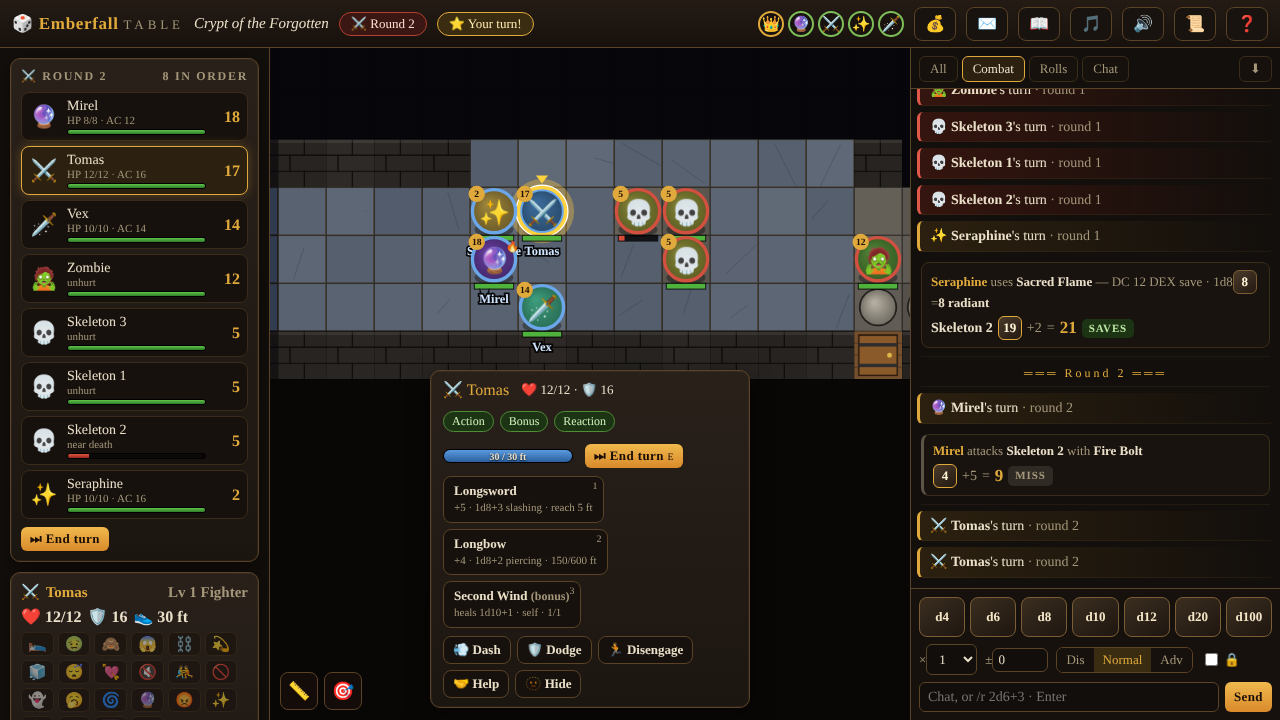
- Turn-based combat. Initiative, movement, action / bonus action / reaction, advantage and disadvantage, saving throws, area spells that need line of sight, resistances, conditions, concentration, short and long rests, death saves, and opportunity attacks that ask you before they happen.
- Spellcasting. Spell slots, upcasting from the target bar, prepared spells, pact slots that return on a short rest.
- -Server-side dice. Every roll uses the server's cryptographic random source and appears in the log with the full breakdown. Type `/r 2d6+3`, click the dice tray, or click abilities, saves and skills on your sheet (Shift for advantage, Alt for disadvantage). `/w name message` whispers.
- Journal, loot and handouts. A searchable campaign journal (quests, notes, NPCs, places, auto-written session recaps), a party loot pile with claim and split, and handouts and secrets delivered by the DM.
For the DM
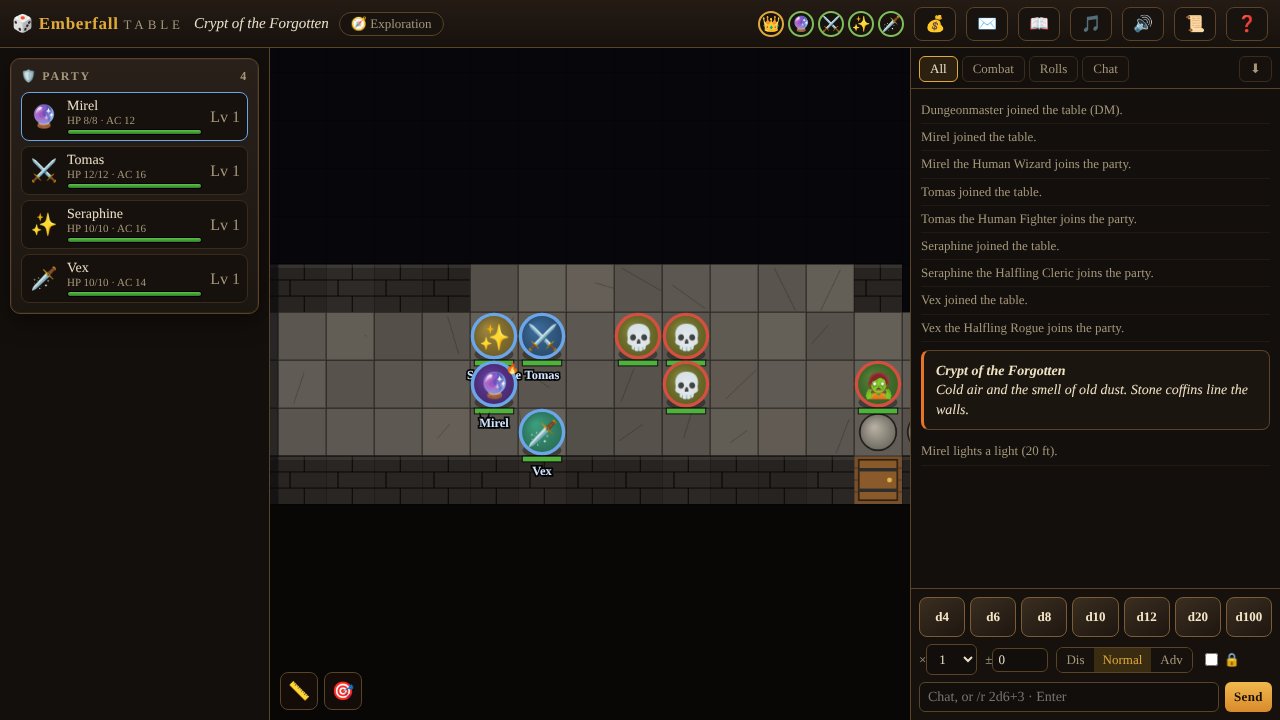
- Dynamic vision and darkness. Walls block sight, the party remembers explored areas, and in dark scenes only lights, torches and darkvision reveal the map. Hidden things are never sent to players.
- Map tools. Paint terrain, fog the unexplored, set the start point, place lights, draw hazards, traps and portals (traps can be hidden and spring once; portals move the party to another scene), upload a map image, set private scene notes.
- Monsters and encounters. 17 built-in creatures, an **encounter builder** that rates difficulty (easy to deadly) for your party, an editor for custom creatures, and automatic loot drops.
- Library. 29 ready-made attacks and spells, 15 items, 5 loot tables and 4 scene templates, all exportable and importable as plain JSON.
- Campaigns. Save, load and swap campaigns, download or upload them, and rely on automatic backups every 30 minutes (newest 15 kept). One-click **Undo** (Ctrl+Z) reverts the last 30 changes.
- Atmosphere. Six generated scene moods (tavern, dungeon, forest, battle, calm, mystery) or your own mp3/ogg, with a per-player volume control.
How to play
Players
- Click your token, then a highlighted square to move.
- Click an action (or press `1`-`9`), then a target or a point on the map.
- `E` ends your turn. `C` opens your sheet. In a dark scene use the **Torch** button on your token panel.
- In combat each turn has movement, an action, a bonus action and a reaction. Leaving an enemy's reach without Disengaging can provoke an opportunity attack.
- Upload a portrait for your token from the Stats tab of your sheet.
DM
- The first account on a fresh server is the DM. Header buttons: Scenes, Monsters, Players, Narrate, XP, Rest, Library, Scene settings, Campaign, Undo.
- Tools on the left: Terrain (B), Fog, Start, Light, Zones.
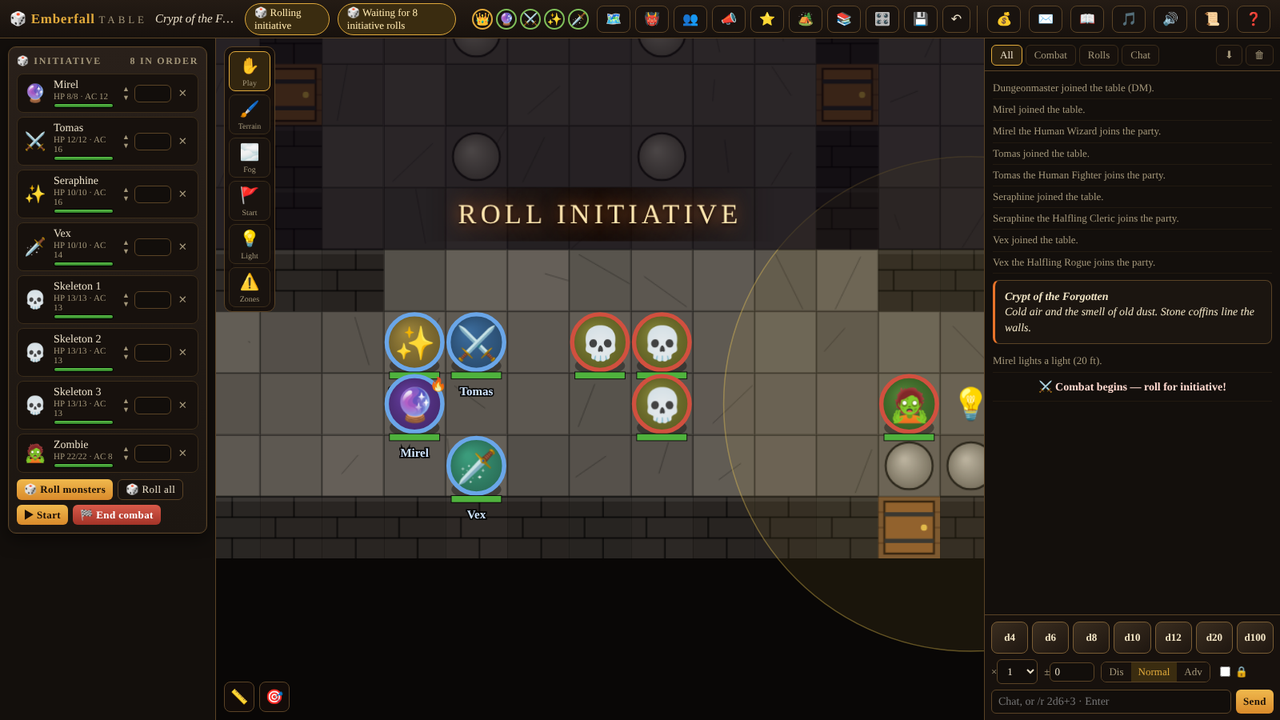
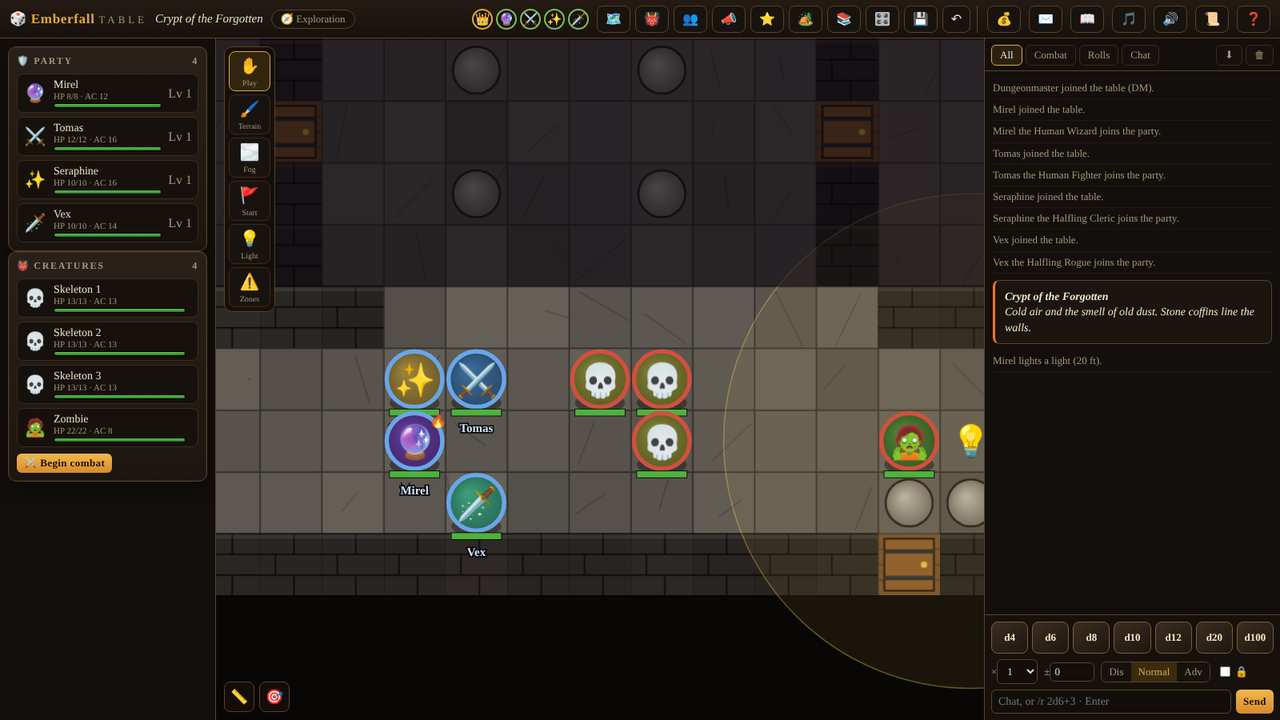
- Add monsters from the Monsters panel and click the map to place them. Press Begin combat, roll initiative for everyone, and Start.
- Use Scene settings to switch on Vision and Darkness, then place lights.
Multiplayer and hosting, in plain words
Emberfall Table has no central server. One person (usually the DM) runs it on their computer; everyone else connects to that computer with a web browser.
- Same room or same Wi-Fi: the console window prints a LAN address (like `http://192.168.1.20:3000`). Players type it into a browser.
- Friends elsewhere: the easiest private option is Tailscale (free): install it on every machine and use the DM's Tailscale name with `:3000`. Another option is a tunnel such as `cloudflared tunnel --url http://localhost:3000`, which gives a temporary public https address.
- Advanced: the server can serve HTTPS itself (`TLS_CERT` and `TLS_KEY`), or sit behind Caddy or nginx (WebSockets work). Other settings: `PORT`, `HOST`, `DATA_DIR`, and `DM_USER` (a name that always becomes a DM). `GET /healthz` returns `ok` for uptime checks.
Use HTTPS whenever the table is reachable from the internet, because passwords are sent when people log in. Set a strong DM password and back up the `data/` folder.
Requirements
- Host: Windows, macOS or Linux with Node.js 18 or newer (22 LTS recommended). Free from nodejs.org.
- Players: any modern desktop browser (Chrome, Edge, Firefox, Safari). Tablets and phones work, with panels that slide in; a laptop or tablet is the comfortable minimum for combat.
- Network: players must be able to reach the host (same network, Tailscale or a tunnel).
Light on resources: no database, no build step.
Start in 3 steps
- Install Node.js (the LTS version) from nodejs.org. Skip if you have it.
- Unzip and start: on Windows double-click `start.bat`; on macOS or Linux run `./start.sh` in a terminal. Leave the window open.
- Open the table: your browser opens `http://localhost:3000`. Create the first account (that is the DM), then give players the LAN or Tailscale address.
A `README-FIRST.txt` inside the zip repeats these steps.
Honest limitations
- You need a host. There is no public server. If the DM's computer is off, the table is closed.
- The rules are an original, simplified d20-style system. It is inspired by classic tabletop role-playing games but it is not a rules-complete or officially licensed implementation. The DM can adjust any number on any sheet. It ships with only a small set of monsters, spells and items; use the library and editors for your own.
- No voice or video. Use your favourite call app alongside it.
- One table per server. Run a second copy on another port for a second group.
- Maps are tile based. Paint terrain or use an uploaded image as a background; there is no freehand drawing tool and no 3D or animated map support.
- Token art is mostly emoji (portraits can be uploaded). Emoji look slightly different on each operating system.
- Security is "friends at a table" grade. Passwords are salted and hashed, but there is no email recovery or moderation panel. The DM can reset play by editing `data/`.
Some automation is deliberately light: you still track things like temporary effects and unusual rulings yourself.
FAQ
Do I need to be a programmer to host? No. Install Node.js, double-click `start.bat` (or run `./start.sh`), done.
How many players? Designed for a normal table: a DM and about 3 to 6 players. The server does not enforce a player limit.
Can I use my own maps? Yes: upload a background image per scene, or paint terrain. Walls and doors paint onto the grid so vision and darkness work.
Can I bring my own monsters and spells? Yes. Create custom creatures and actions, save them to the Library, and export or import them as JSON.
Where is everything saved? In the `data/` folder next to the game (`table.json`, uploads, saved campaigns, backups). Copy it to move to a new computer or version.
Is there solo mode or an AI DM? No. It is a table tool for human groups.
Are the dice really random and fair? Dice are rolled on the server with Node's `crypto` module, and every roll is logged for the whole table (secret rolls are visible only to you and the DM).
Does it work on a phone? Players can join from a phone, and the layout adapts. Running the DM seat is more comfortable on a computer.
Does it collect data or phone home? No. It talks only to people connected to your server.
I found a bug. Please post it in the community tab with the steps, your browser name, and a screenshot if you can.
Credits
- Designed, directed and published by Parent House. Built together with Claude, an AI model from Anthropic: the game code, procedurally generated 3D models and textures, UI and documentation were written with AI assistance, and every feature was played, tested and chosen by a human. No third-party art, music or code libraries are included.
- All rules text, monsters, scenes and logos are original to this project. The game uses no third-party libraries. Token icons are standard Unicode emoji drawn by your device's own emoji font. Music moods are generated in the browser.
- No endorsement by or affiliation with any other game, publisher or brand.
Download
Click download now to get access to the following files:
Leave a comment
Log in with itch.io to leave a comment.